
How to Create a QR Code for Your Website: A Complete Guide
Users of the digital world are becoming less and less patient. Mobile device users dislike the tedium of typing out long URLs. QR codes fulfill the instant gratification request of modern day users. To webpage owners, a QR code is beneficial for business advertising, portfolio sharing, marketing campaign tracking, lead capture, and a multitude of other marketing ventures.
Users access a webpage by scanning a QR code. Business owners looking to advertise their website with a QR code will notice increased ease in ad placement. Creating a scannable code to share your website is simple.
In the following guide, you will learn exactly what a website QR code is, learn why you need a website QR code, learn how to generate a website QR code, learn how to generate a website QR code with a QR code generator, and learn tips to ensure your QR code gets scanned as much as possible.
What Is a QR Code for a Website?
A QR code is a matrix barcode that is able to store both text and website links, along with other data. Scanning a QR code allows users to access stored data instantly. A website QR code stores a web page URL.
An example of a QR code is:
If you told a user to go to:
https://yourwebsite.com/products/new-product
instead, you can give them a QR code. Scanning the QR code would take them directly to the page.
QR codes have become extremely popular for advertising and marketing needs. QR codes fill a need when another solution does not.
Why Should You Create a QR Code for Your Website?
QR codes are more than just a convenient shortcut. They can improve user experience, increase engagement, and make your marketing efforts more effective.
Here are some important benefits of using a website QR code:
1. Instant Access to Your Website
One of the appeals of QR Codes is speed. Because users don’t need to find your website URL, you can save them between 10-30 seconds of their time by encoding your page in a QR Code.
These types of webpages benefit from speed the most:
- Business websites
- Online stores
- Product pages
- Landing pages
- Portfolios
- Event websites
2. Better Offline Marketing
One of the selling points of QR Codes is the connection between offline physical advertising and digital.
Clear examples include:
- Business cards
- Posters
- Flyers
- Product packaging
- Brochures
- Newspaper advertisements
- Event banners
Again, if someone comes across one of your offline marketing efforts, they can potentially land on your website without looking for your company online.
3. Improves Mobile User Experience
A QR Code for your website makes it easier and less time consuming to visit your site.Because most users browse the web via smartphones, a QR Code removes steps and serves a great convenience.
Ultimately it can lead to:
- More website visits
- More customer inquiries
- Higher engagement
- Better conversions
4. Easy to Share
Because of their digital nature, QR Codes are free, and easy to download, share, and print. Once made, a QR Code can serve your many purposes.
As an example, a company can place a single QR Code on their:
- Packaging
- Social media posts
- Store displays
- Marketing materials
How to Create a QR Code for Your Website
This is a very simple procedure that requires no tech skill.
Simply:
Step 1: Choose the Website URL
Choose the webpage you’d like to connect to your QR code.
You can create codes for:
- Homepage
- Product pages
- Blog articles
- Contact pages
- Social media profiles
- Online forms
Make sure the URL is valid.
Step 2: Open a QR Code Generator
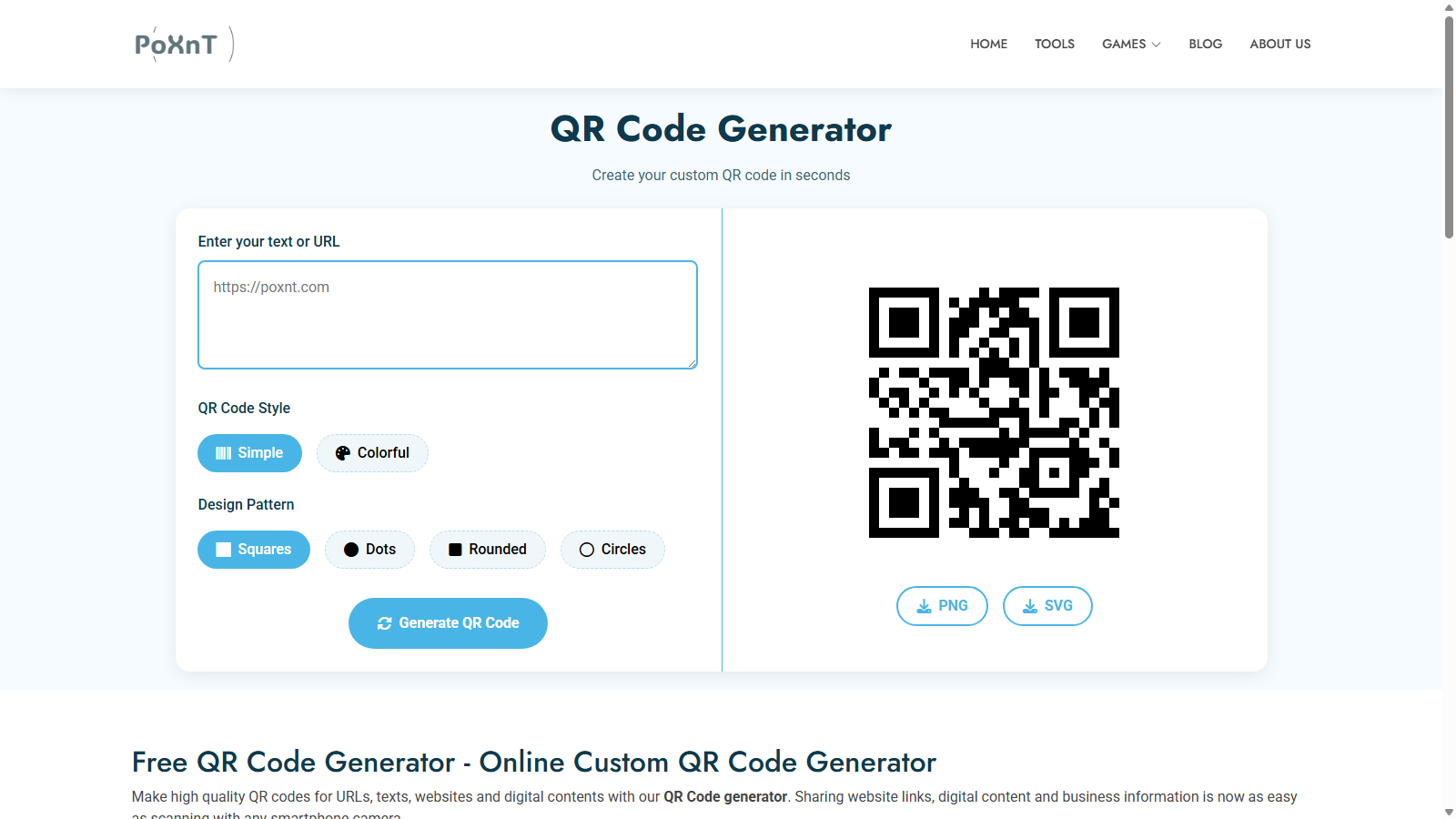
Choose an online QR code generator.
PoXnT’s QR Code Generator is one of the quicker ways to create a scannable QR code for a website without the need for software.
Simply enter the URL, and download the QR code.
Step 3: Enter Your Website Link
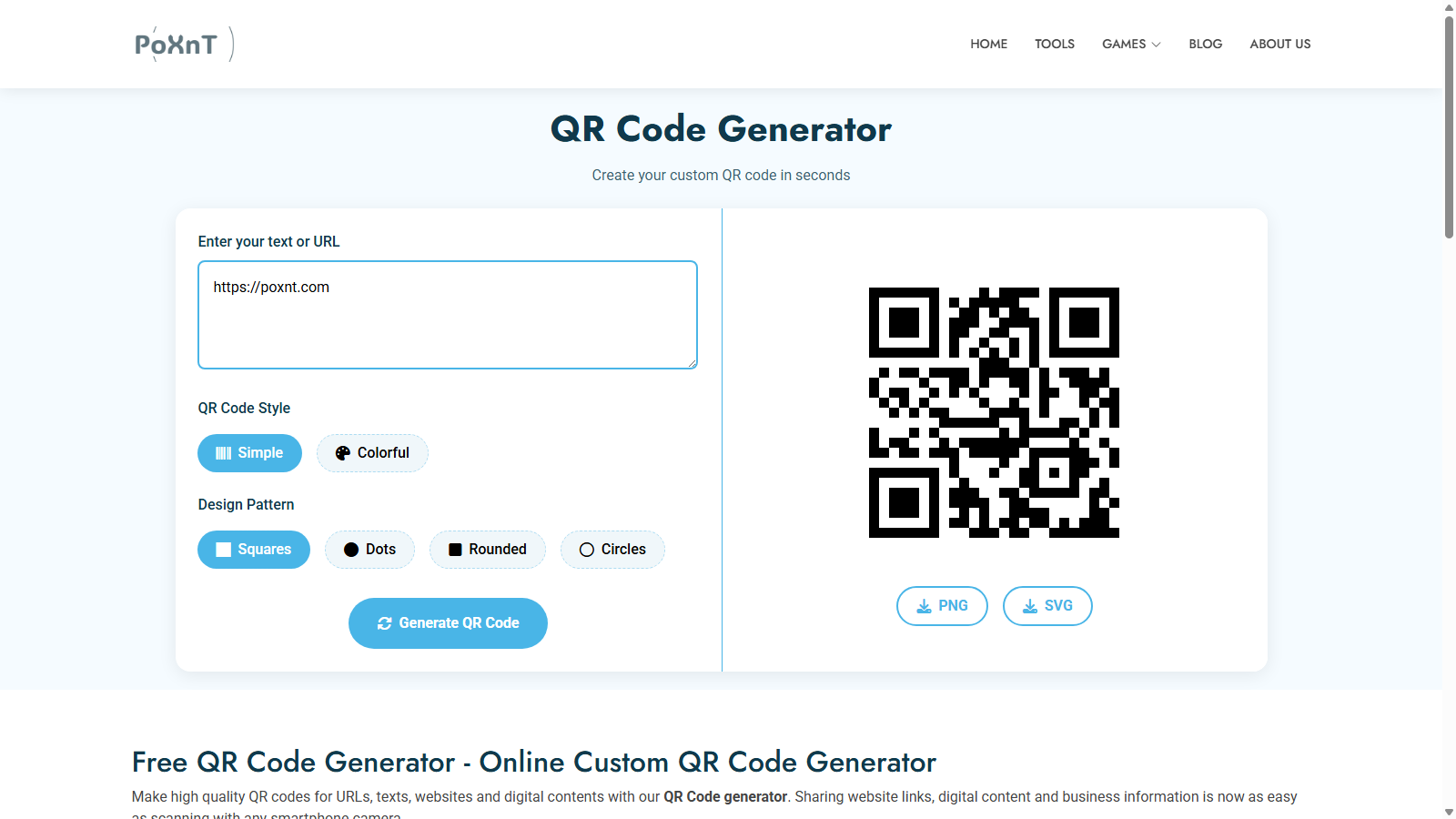
Enter the link to your website in the QR code generator.
For example:
The tool automatically converts your link into a QR code that smartphones can recognize.
Step 4: Customize Your QR Code
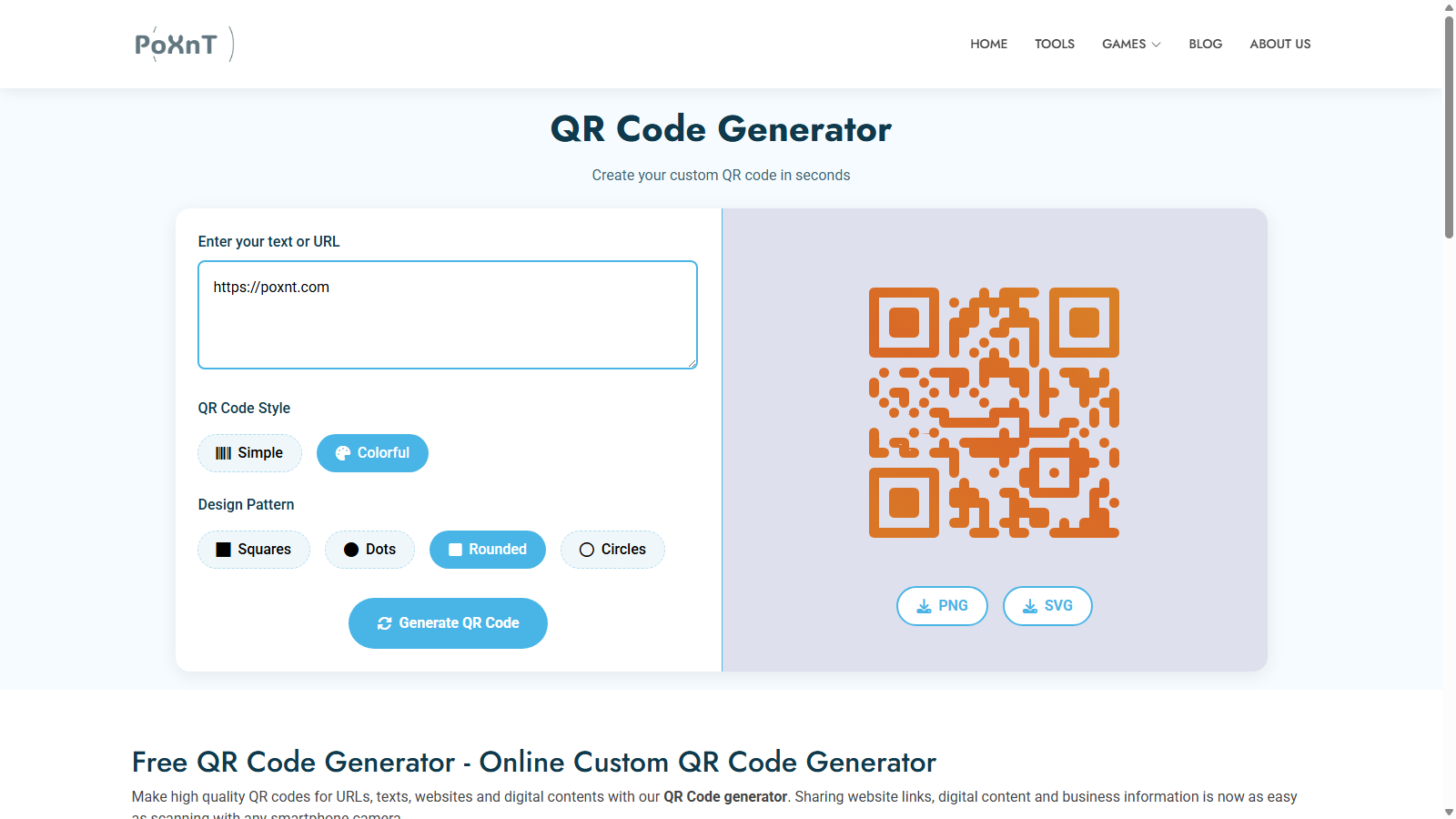
Design your QR code based on your requirements.
Customizations can include:
- Adding colors
- Changing QR patterns
- Adjusting the design style
More design elements may create a QR code that is hard to read. Easier to read codes are recommended.
Step 5: Download Your QR Code
After design, save the code image.
For website use, save as PNG. For other printing use, professional printing is recommended and SVG is suggested.
Step 6: Test Your QR Code
Always test each QR code.
Check your code by scanning:
- Does it open the correct webpage?
- Does the website load properly?
- Is the page mobile-friendly?
Testing helps prevent users from experiencing broken links.
Static QR Code vs Dynamic QR Code
Two major types of QR codes are static and dynamic.
Static QR Code
With Static QR codes, information is encoded in the code.
Advantages:
- Free and simple
- Works permanently
- No subscription required
- Good for fixed website links
Disadvantages:
- The URL cannot usually be changed after creation
- Limited tracking features
Personal websites, portfolios and permanent pages are good to use Static QR codes.
Dynamic QR Code
Dynamic QR codes use a redirect URL that can be changed at a later time.
Advantages:
- Edit destination links
- Track scans
- Analyze user activity
- Useful for marketing campaigns
Disadvantages:
- Often requires paid services
Marker campaigns can benefit from using Dynamic QR codes.
Best Places to Use a Website QR Code
QR codes can be used in numerous ways.
Business Cards
Customers can quickly visit your website or portfolio with your business card QR code.
Product Packaging
QR codes can be added to product packages to provide:
- Product information
- User manuals
- Reviews
- Discount offers
Restaurants and Menus
QR codes provide the convenience of a digital menu, ordering service, and a feedback form.
Marketing Materials
Advertising can be enhanced by printing QR codes for gallery books, posters, magazines, flyers, advertisements, and brochures that connect customers to advertising online.
Examples:
- Posters
- Flyers
- Brochures
- Magazine advertisements
Social Media Profiles
Creators can use QR codes to show their websites or portfolios.
QR Code Best Practices
Get the most out of your QR code by incorporating these tips:
Keep the QR Code Large Enough
QR codes that are shrunk too small will inhibit scanning. QR codes should be easy to read.
Use a Clear Background
Avoid complicated images or backgrounds, the easier it is to read the better.
Add a Call-to-Action
Adding an instruction to scan will entice users to do so.
Examples:
- Scan to Visit Our Website
- Scan for More Information
- Scan to Shop Now
Make Your Website Mobile-Friendly
Design with the fact that most sites will be scanned on mobile and optimize for speed and ease of use.
Make sure:
- Pages load quickly
- Text is readable
- Buttons are easy to click
Regularly Check Your Link
Regularly check your links and ensure they direct users to the website you intend.
Common QR Code Mistakes to Avoid
Avoid these common problems:
- Wasted space
- By including unnecessary details
- Adding QR code obstructions
- Low quality QR codes
- Using long load times
- Messy or decreased function layout on website
A QR code must function in order to provide value.
Conclusion
Creating a website QR code is the best way to get your website out in the world. Whether you're a business owner, marketer, developer, or creator, QR codes improve accessibility to your website and help boost engagement.
Creating a website QR code with PoXnT QR Code Generator is super simple. Just enter your website URL, and in no time you have a QR code to share. After that it's just gather up your digital and nondigital collection and share away.
With how much more people rely on smart devices to access the information they need, QR codes make websites easy to discover.